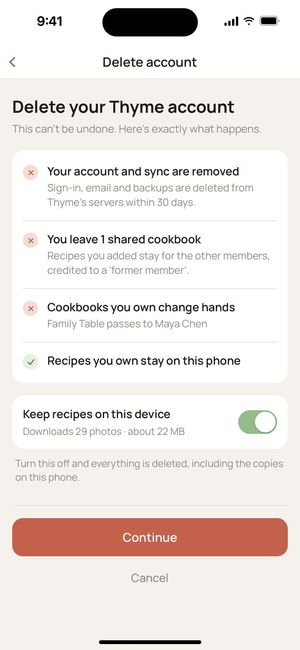
delete your account
you can delete your thyme account from the app at any time. here's how, and exactly what happens.
in the app
- open thyme and tap your profile.
- tap the pencil next to your name, then delete account at the bottom.
- choose whether to keep your recipes on this device.
- tap continue, type DELETE, and confirm.
what happens
- your account and sync are removed your sign-in, email, recipes, photos, push tokens and import balance are deleted from our servers within 30 days.
- you leave any cookbooks shared with you recipes you added stay for the other members, credited to "a former member".
- cookbooks you own change hands a shared cookbook you own passes to another member, so it doesn't disappear for everyone else.
- your recipes can stay on your device with "keep recipes on this device" on, thyme keeps a copy on your device. with it off, the recipes on your device are deleted too.
this can't be undone. Apple keeps its own record of your purchases.
can't open the app?
email support@recipethyme.app from the address on your account and ask us to delete it. we'll confirm by email and finish within 30 days.